Your account · Settings & admin
How do I switch between accounts or roles?
Work with more than one organisation, or wear two hats? Switch between them without signing out.
For admins, workers and authorisers · Updated 14 October 2026
Plenty of people have more than one role in SaveTrees. You might fill in your own timesheets and approve other people’s, or work for two organisations that both use SaveTrees. You don’t need a separate login for each. You switch between them from the top of the screen.
Switching
- 1
Click the organisation’s name in the top right corner, next to your initials. The line just above it tells you which role you’re using right now.

- 2
Under Switch role, click the one you want.
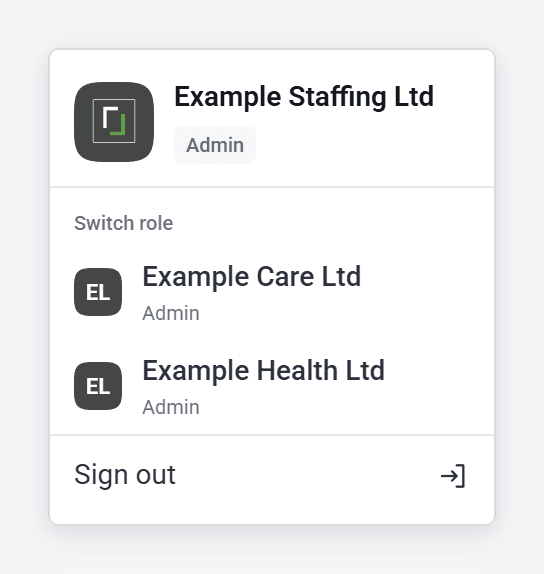
You’ll land on your timesheets if you’re a worker or authoriser, or on the dashboard if you’re an admin.
No Switch role in the menu? Then you’ve only got one role, so there’s nothing to switch to.
Which one opens when you sign in?
If you sign in through an organisation’s own web address, you go straight to that one. Otherwise, SaveTrees opens whichever you used last. If you mostly work with one organisation, it’s worth bookmarking their sign-in page.
If it won’t let you switch
Some organisations only let their admins sign in from their own network, like their office. If you try to switch to an admin role there from somewhere else, you’ll stay in the role you were using, with a message saying why. Try again once you’re on their network, or ask their admin.
Signing out
Click the organisation’s name in the top right, then Sign out. That signs you out of all your roles at once.