Contractors can submit hours that go through midnight
When setting up a contractor, allow them to submit for night shifts and the system will update their timesheets with a toggle switch that allows them to submit for hours that go past midnight.
What you get
Separate night rates
Set distinct pay and charge rates for night shifts. The system applies them automatically when workers log night hours.
Overnight shifts handled correctly
A shift that starts at 10pm and ends at 6am is calculated correctly across the midnight boundary without manual adjustment.
Correct rates in exports
Night rate data flows through to CSV and PDF exports so payroll always has the right numbers without manual corrections.
Night shifts have always been the awkward exception in timesheet systems. SaveTrees handles them natively so you're not relying on workarounds, manual corrections, or parallel spreadsheets.
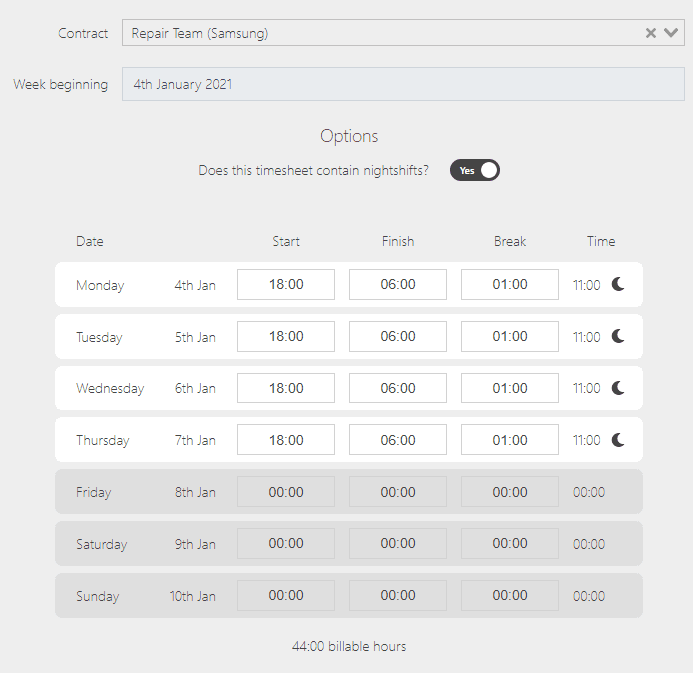
Night shift timesheet submission
The hours are allocated to the day in which the shift started and a moon icon is applied to the timesheet along with the timesheet detail — making it clear for both the line manager and the administrator.
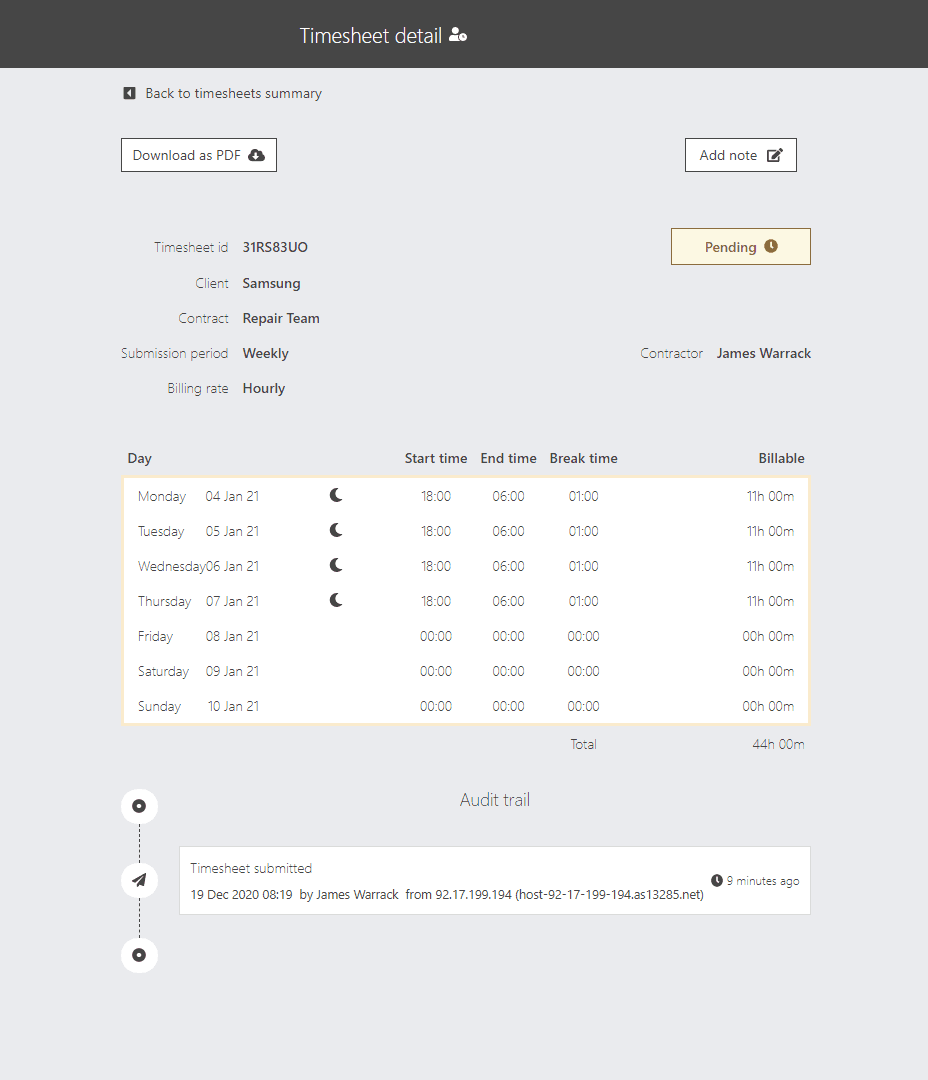
Timesheet detail view
The timesheet detail view clearly shows night shift hours alongside regular hours, with a moon icon indicating overnight entries so there's no ambiguity about which day the shift belongs to.
Related features
Change timesheet start days
The system accommodates different working week structures and displays customise…
Financials
Financials in SaveTrees is designed for agency admins. It gives you a clear view…
Accepted PDF timesheets to payroll
You can set a master email address to receive an email — with the approved times…
Ready to try it?
One month completely free. If you don’t love it, we won’t send you an invoice.
No card needed · No contract · Cancel any time