Don't work Monday–Sunday? No problem!
The system accommodates different working week structures and displays customised dates when contractors submit timesheets. Adjust when your working week begins or ends to match your specific business needs.
What you get
Any start day
Saturday, Wednesday, Tuesday — whatever your placements require. Change it in agency settings in seconds.
Per-agency configuration
Running multiple agencies with different week structures? Each one can have its own start day independently.
Workers just see the right week
The interface adapts automatically. Workers see the correct week without any explanation or retraining needed.
Healthcare, hospitality, retail — many industries don't run Monday to Friday. This is a small setting with a meaningful impact on workers who've always struggled with the wrong week view.
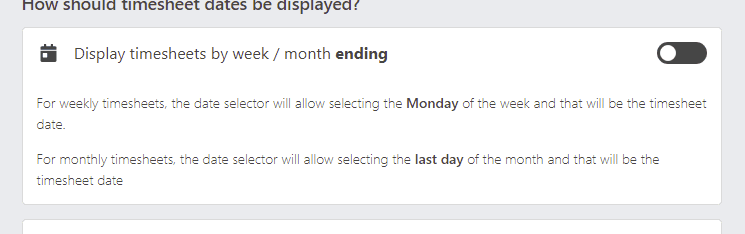
Change the start and end date
Set the working week to start or end on any day. The system then displays the correct date range when contractors submit their timesheets — no confusion, no workarounds.
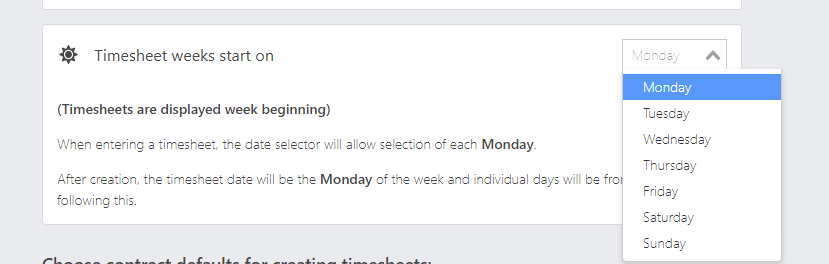
Any day of the week
Different industries and countries operate on varying schedules. SaveTrees recognises this and lets you modify the working week to start on Saturday, Wednesday, or wherever your week actually begins.
Related features
Night shifts
When setting up a contractor, allow them to submit for night shifts and the syst…
Timesheet warnings
Timesheet warnings flag potential mistakes at the point of submission — bank hol…
Timesheet reminders
Every week, many agencies face the same problem — workers haven't submitted thei…
Ready to try it?
One month completely free. If you don’t love it, we won’t send you an invoice.
No card needed · No contract · Cancel any time