Your account · Settings & admin
What is example data?
The made-up people and timesheets a new account starts with, and how to clear them out.
For admins · Updated 15 October 2026
A new account comes with some made-up people, organisations, assignments, timesheets and expense claims, so you can see how everything fits together before you add your own. Example people never count towards your bill.
Once you’re ready to use SaveTrees for real, turn it off.
Turn it off
- 1Open Example data in your account(opens SaveTrees in a new tab)
Go to Settings and click Example data.
- 2
Switch off Show example data.

- 3
Read the warning and click Turn off and delete.
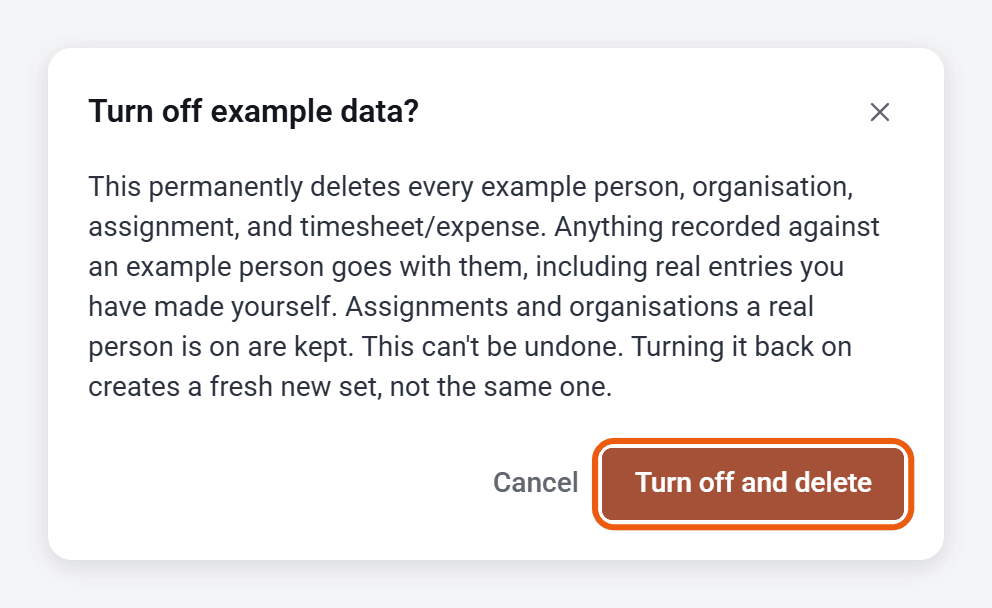
This deletes every example person, organisation, assignment, timesheet and expense claim for good. Anything recorded against an example person goes too, even if you entered it yourself. Assignments and organisations that a real person is on are kept.
Want it back?
Switch Show example data back on. You’ll get a fresh set, not the one you had before.
Who can do this
Any admin.