Timesheets · Get set up
How do organisations, assignments, workers and authorisers fit together?
A quick map of how SaveTrees organises your work, and where to go for each part.
For admins · Updated 13 October 2026
Using SaveTrees v2? This works differently there. See the v2 guide
Everything in SaveTrees hangs off four things: organisations, assignments, workers and authorisers. Once you know how they fit together, the rest falls into place. If you’ve used SaveTrees v2, clients are now organisations and contracts are now assignments.
The four pieces
- An organisation is a client you supply people to, like Northfield Hospital.
- An assignment is a piece of work for one organisation, like Ward cover. An organisation can have as many assignments as you need.
- A worker is someone doing that work. Each worker on an assignment has their own start and end dates, and their own timesheet form, called a template.
- An authoriser approves a worker’s timesheets. You choose them for each worker on each assignment, so two people on the same assignment can have different authorisers.
So one organisation has many assignments, each assignment has many workers, and each worker has their own template and authorisers. If you call your workers something else, like contractors, you’ll see your word instead. See How do I change the word “worker”?
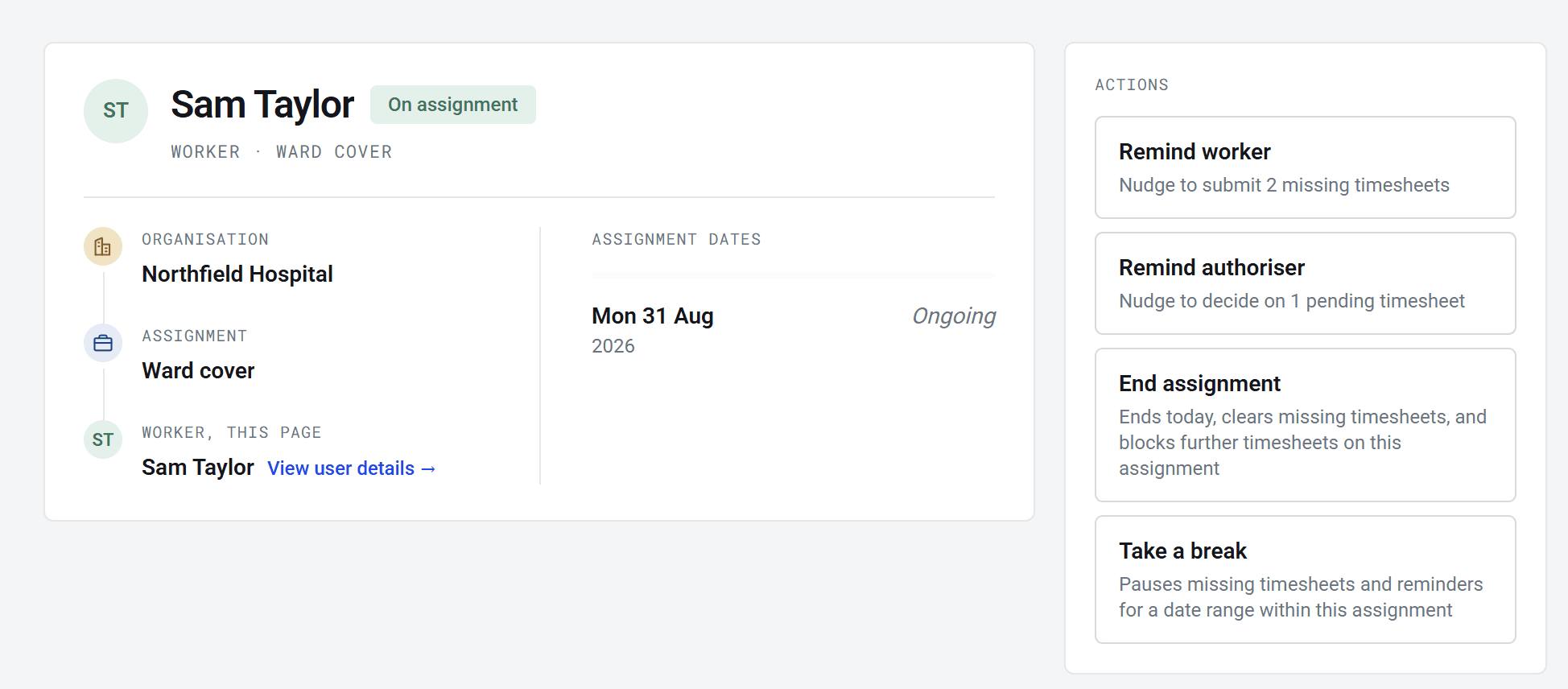
A worker’s page shows the whole chain: which organisation and assignment they’re on, their dates, and what you can do next.
Where to find each one
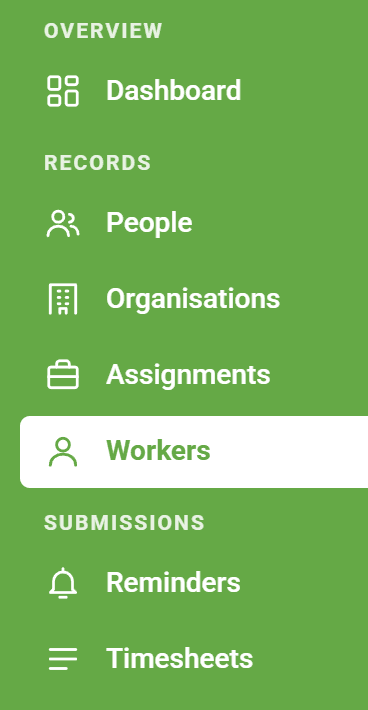
- People lists everyone on your account, whatever their role.
- Organisations and Assignments list your clients and the work for each one. To open them you need the Manage Organisations and Manage Assignments permissions.
- Workers has a row for each person on each assignment. Someone working on two assignments has two rows, each with its own dates.
The Workers list includes people whose assignment has ended, marked Archived. The Assignments list starts with active ones only, so to find an archived assignment, tick Archived under Status.
One person, several roles
Putting someone on an assignment makes them a worker. Choosing them as someone’s authoriser makes them an authoriser. The same person can be both, and an admin too. They switch between roles at the top right of the screen. See How do I switch between accounts or roles?
A person can only be on each assignment once. If someone on an assignment needs to claim expenses too, open their worker page and add an expense template there, rather than adding them again. To bring back someone whose time has ended, click Restart assignment on their page, then add their authorisers and rates again.
Primary, backup and access authorisers
- A primary authoriser is emailed when a timesheet needs approving.
- A backup authoriser can approve too. They’re only emailed if your timesheet reminders include backups. See How do I set up timesheet reminders?
- An access authoriser can see and approve timesheets, but isn’t emailed about them.
On a bulk assignment it works a little differently: everyone shares one timesheet template and one set of authorisers, which you’ll find on the assignment’s Authorisers tab.
Ending things
- End assignment, on a worker’s page, ends that one person’s time on the assignment today. Their missing timesheets are cleared and they can’t send any more for it.
- Archive assignment, on the assignment’s page, ends it for everyone on it today and hides it from your lists. Any weeks nobody sent still show as Missing.
- Archive organisation only hides the organisation. Its assignments carry on, and people can still be added to them, so archive those too if the work has stopped. You can’t archive an organisation while any of its timesheets are waiting to be approved.
You’ll notice “assignment” is used for two things: the piece of work, and one person’s time on it, as in End assignment or Assignment dates. If a button is on a worker’s page, it’s about that person only.