
Changing the client on a contract
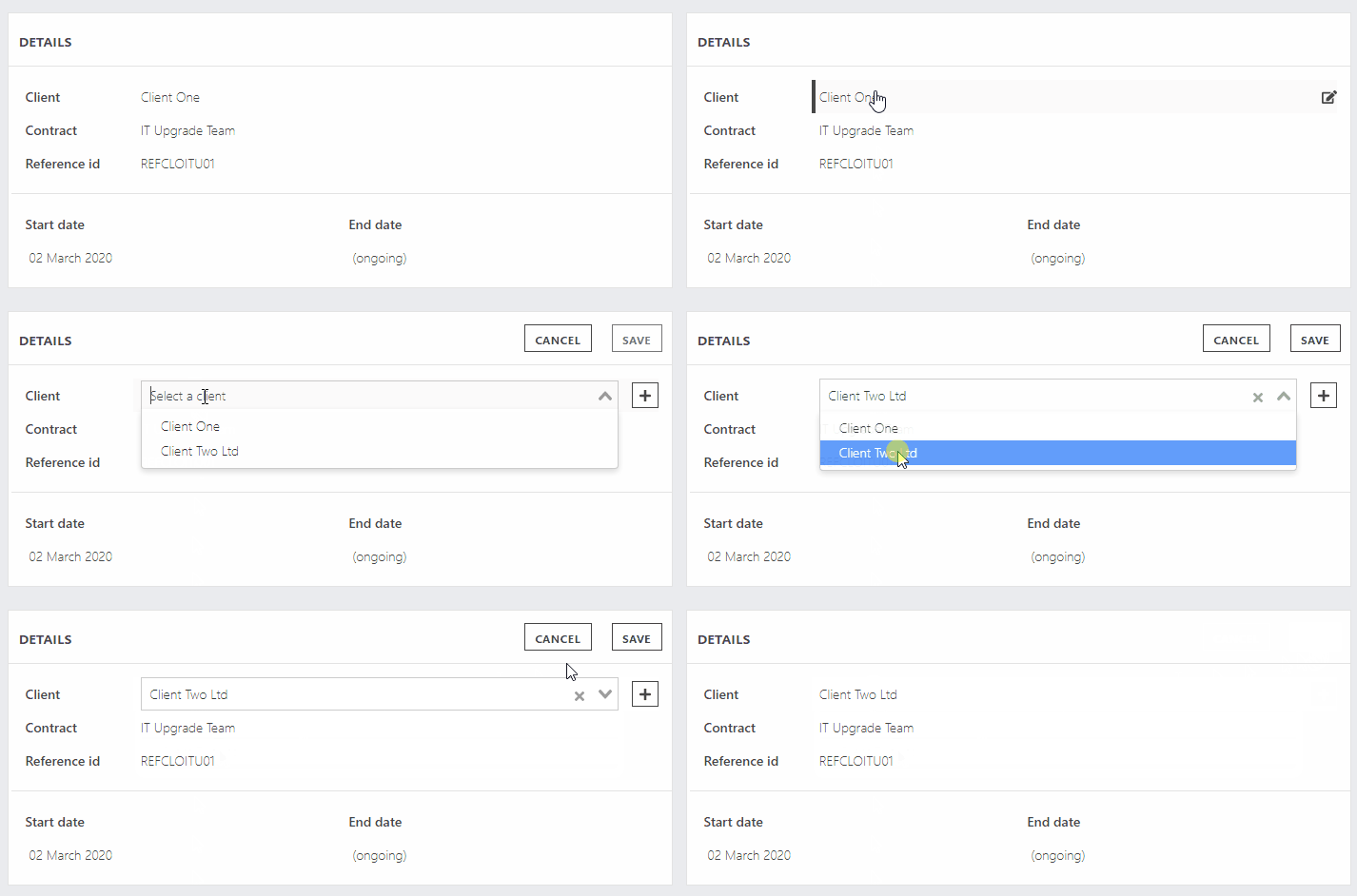
To change the client on a contract:
- Navigate to the contract detail page
- Click on 'Contracts' in the left hand menu.
- Select the contract you would like to change.
- Make the change
- In the 'Details' box, hover over the client name and click.
- If the client is already in the system, Search for them or scroll down, select the one you want and hit save.
- If the client isn't in the system, click the + button which will reveal the usual slide-out. Fill in the details. This will pre-select the client in the dropdown. Hit save.