Timesheets
How do I save a timesheet as a PDF?
For authorisers, admins and workers · 4 March 2020
Using SaveTrees v3? This works differently there. See the v3 guide

Downloading a timesheet as a PDF
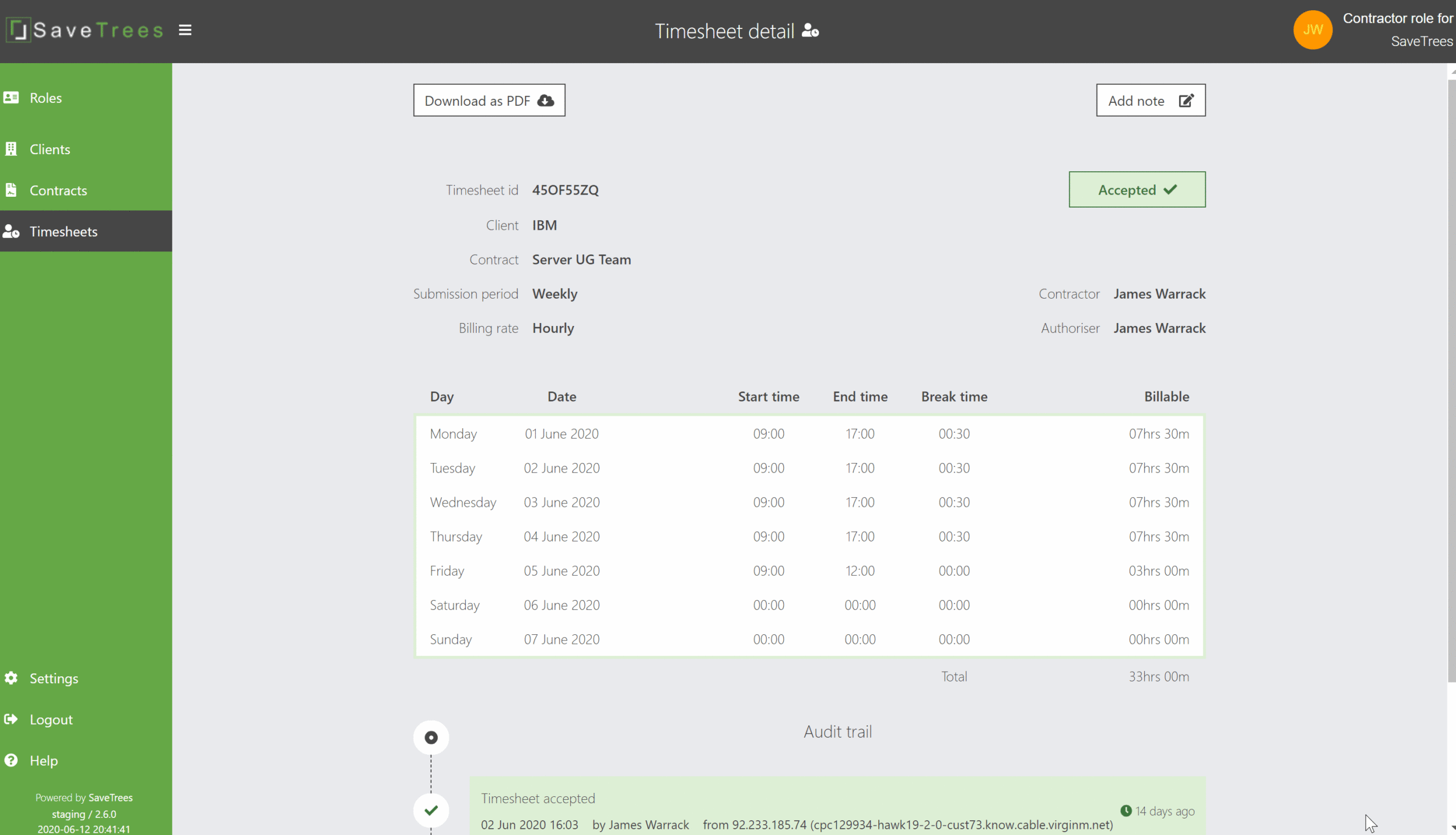
From the timesheet detail page you can download a PDF of your timesheet. To do this:
- Go to Timesheets (in the left hand menu) and then select the timesheet you want to view the detail for by clicking on it. Once you're there, you should see "Timesheet detail" in the top centre of the page.
- Just below the page title on the left is a button labelled "Download as PDF"- click this and the download will automatically commence.