Expenses your workers snap, your clients approve and you rebill
Workers snap a receipt or type in a journey on any phone, and SaveTrees fills in the amount, the VAT and the miles. The right person at the client approves the claim. You get approved claims for payroll and draft invoices in Xero, all with your logo on.
Pay only for workers who send a claim that month. The first person is free, no matter how many expenses they submit, then from £5 down to £1 per worker per month.
Who does what
Three people. One claim.
Worker
Callum Reid
Snaps receipts and adds journeys as they go, saves a draft, sends the claim. Sees what is pending, accepted or sent back.
Client
Tom Reed, Harbourside Developments
Gets an email with a button to the claim. Approves or sends it back with a reason, one at a time, from the list or in bulk.
Agency
Hannah Price, Indigo Recruitment
Chooses what each worker can claim, sets limits and mileage rates, corrects a line when needed, sends approved claims to payroll and Xero.
How it works
Set it up once
Start from the ready-made template, add the kinds of expense you allow, and set your mileage rate.
Workers claim as they go
Receipts read themselves and journeys work out their own miles, on any phone with nothing to install.
The client approves
One person or a chain of up to five, chased automatically.
You get paid back
Approved claims go to payroll as PDFs and spreadsheets, and rechargeable expenses to Xero as draft invoices.
Who authorises?
A single person decidesMost common
Worker
Callum Reid
Sends claim
Authoriser
Tom Reed
Site manager
Result
Accepted
Locked
Payroll
PDF and spreadsheet
Xero
Draft invoice per client
The claim goes to one person, who accepts it or sends it back with a reason. This is how most agencies work.
Each authoriser is reminded on your schedule. If one goes quiet, it moves to their backup.
These are just the common set-ups. Each expense template can authorise its own way, or you can decide for each worker as you add them, so one client can sign off with a single manager while another runs a chain of five.
No more retyping
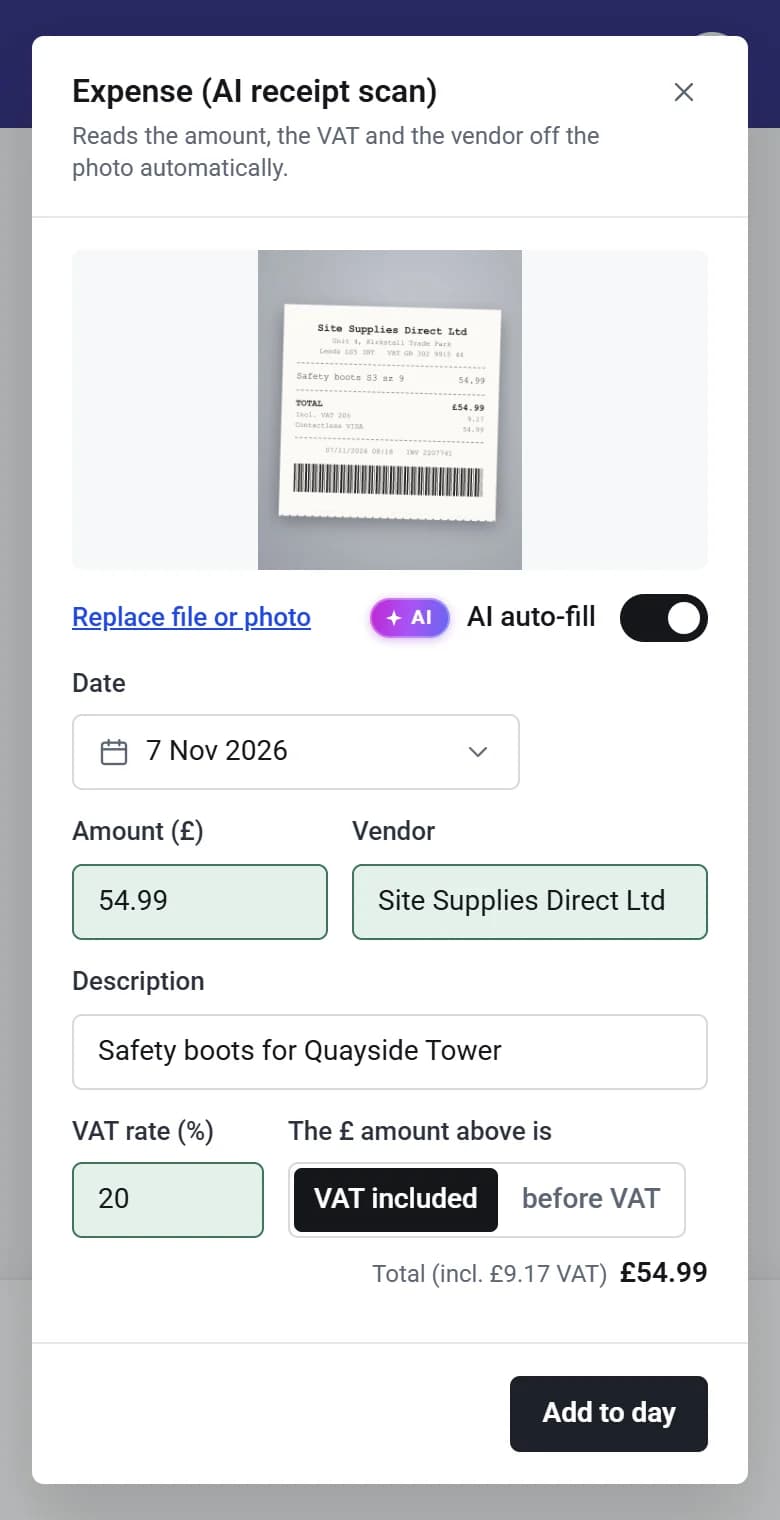
Snap a photo and the amount, the VAT and the vendor fill themselves in. Anything it isn’t sure of is flagged for the worker to check.
Mileage nobody argues about
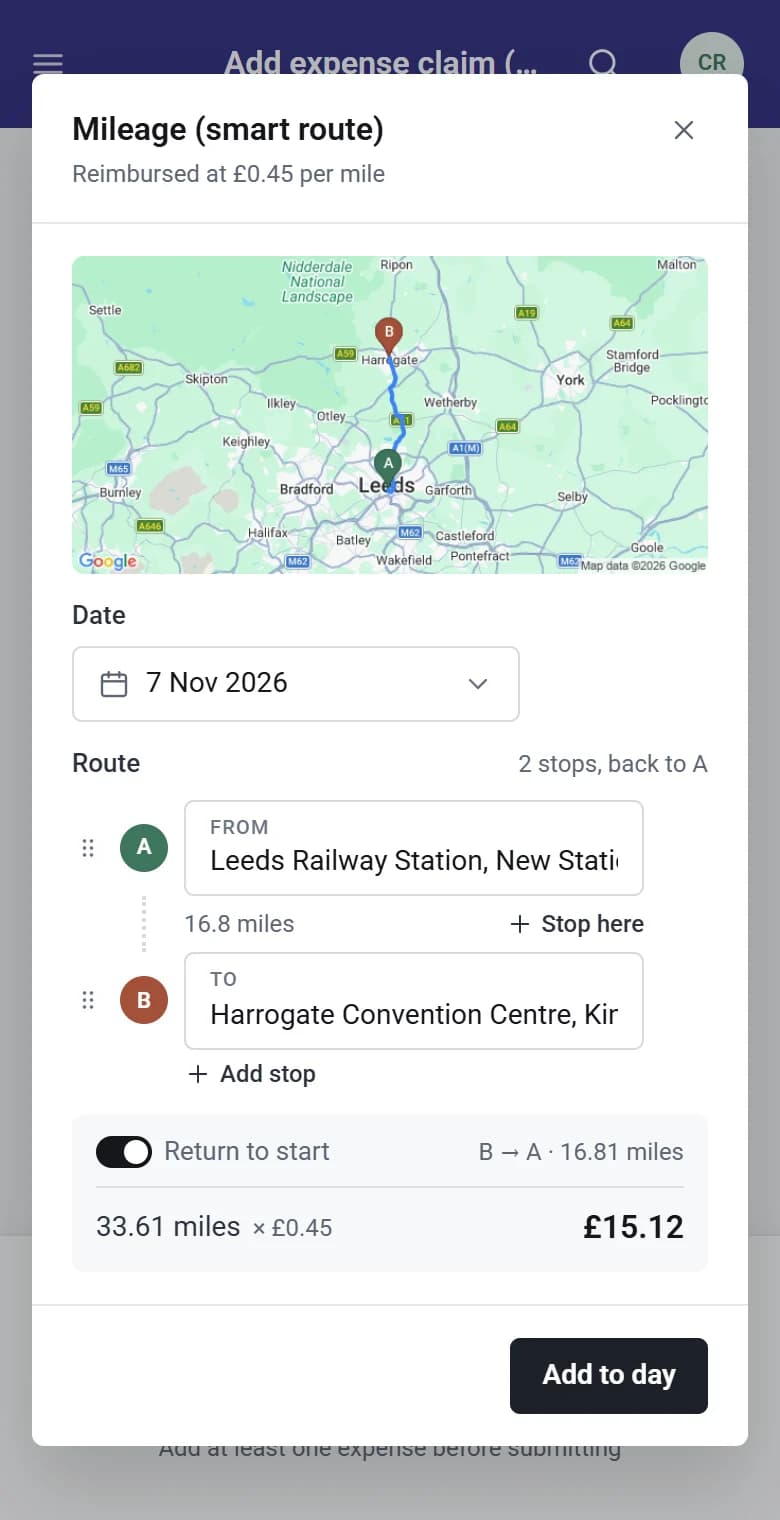
Workers pick where they went from and to. The miles by road, the map and the amount are worked out for them, at your rate.
Ready for payroll and rebilling
Mileage rates are kept as they were when a claim was sent, and only expenses you mark as rechargeable reach a client’s invoice.
Quick to claim
- Snap a receipt or pick a photo, and the details are read for you.
- Pick where a journey started and ended, and the miles by road appear on a map.
- Add stops or the way home, and regular places come up with one tap.
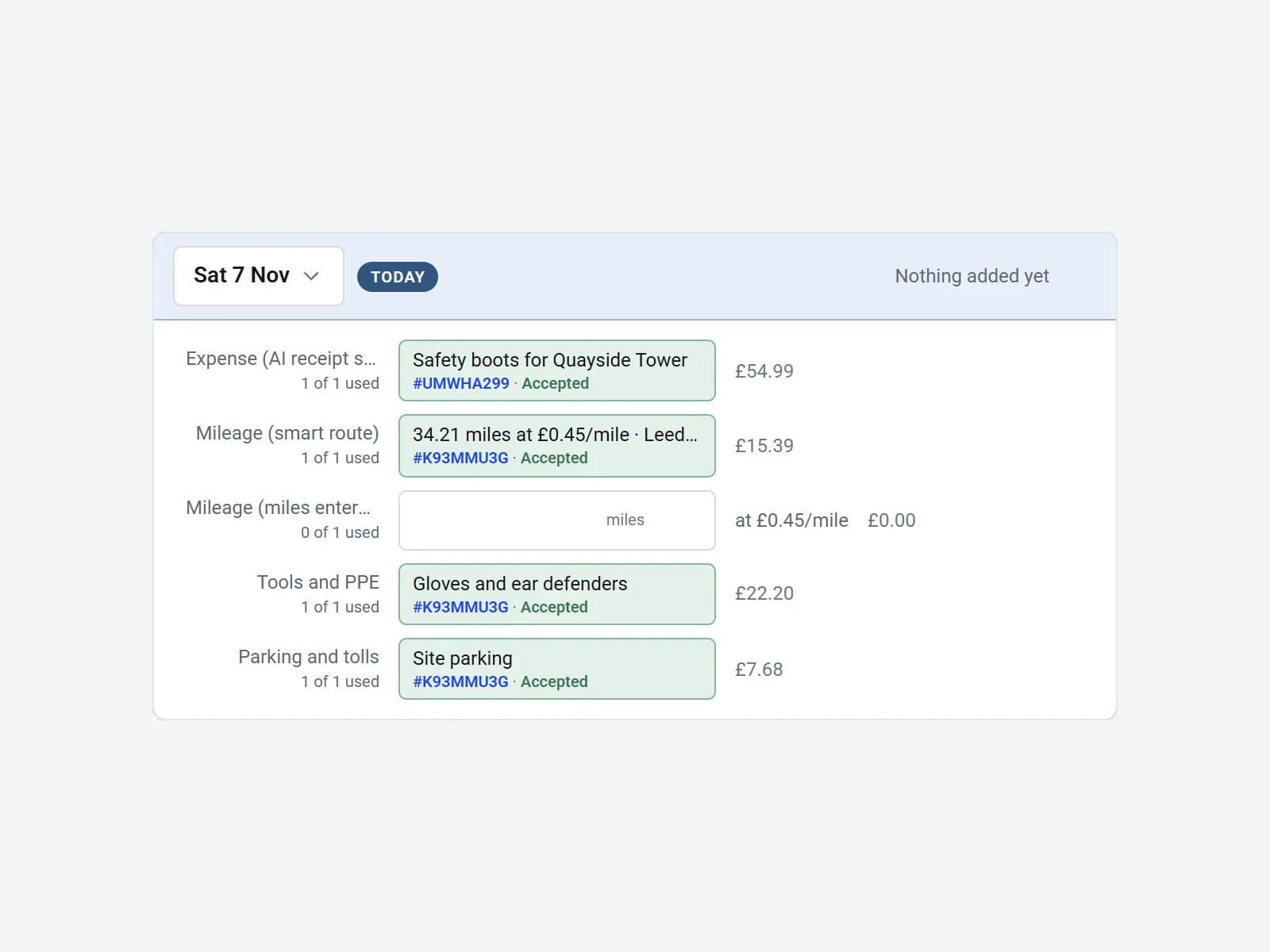
- Add to a claim over as many days as you like, then send it when it’s complete.
Decide what each person can claim
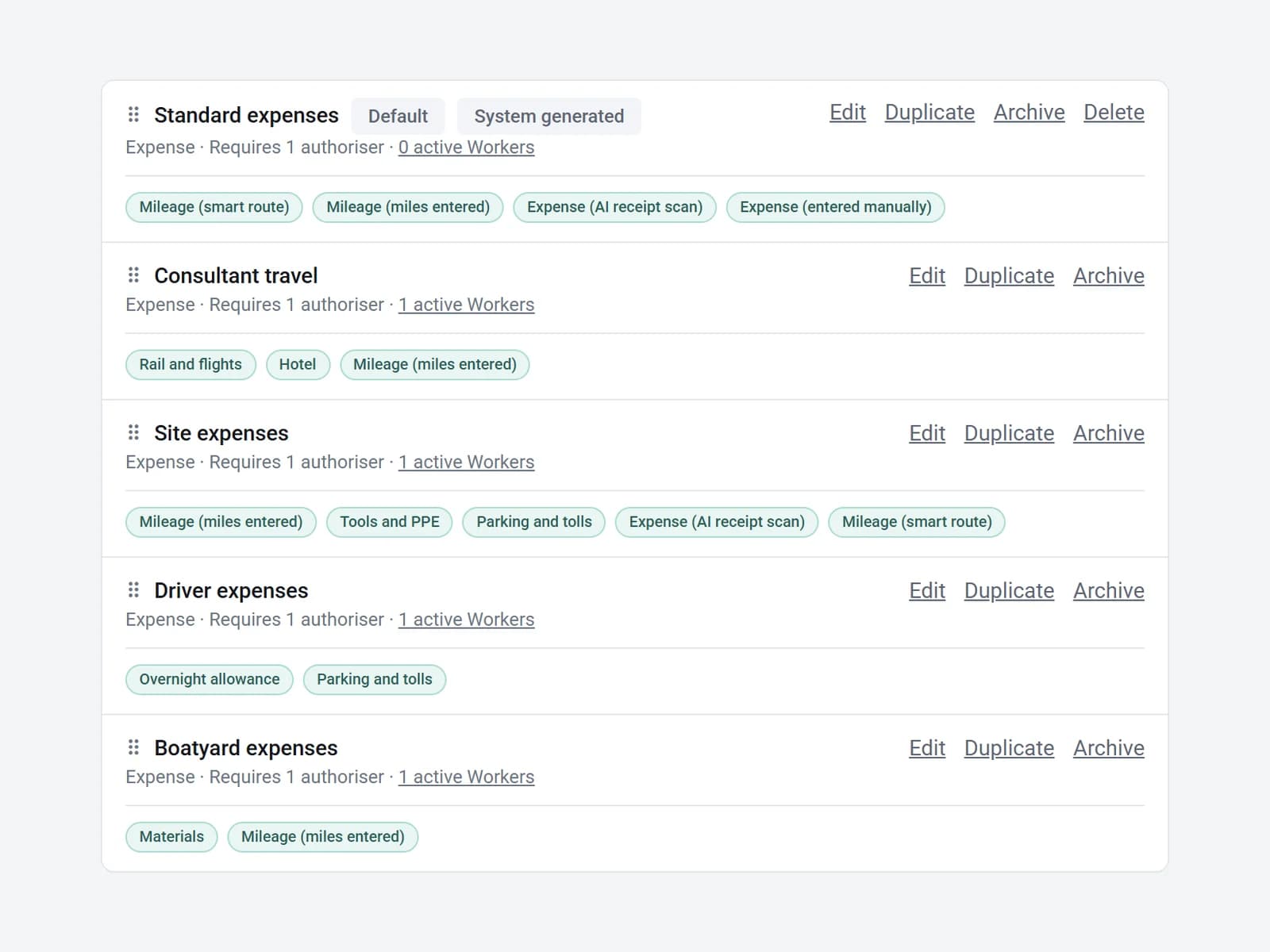
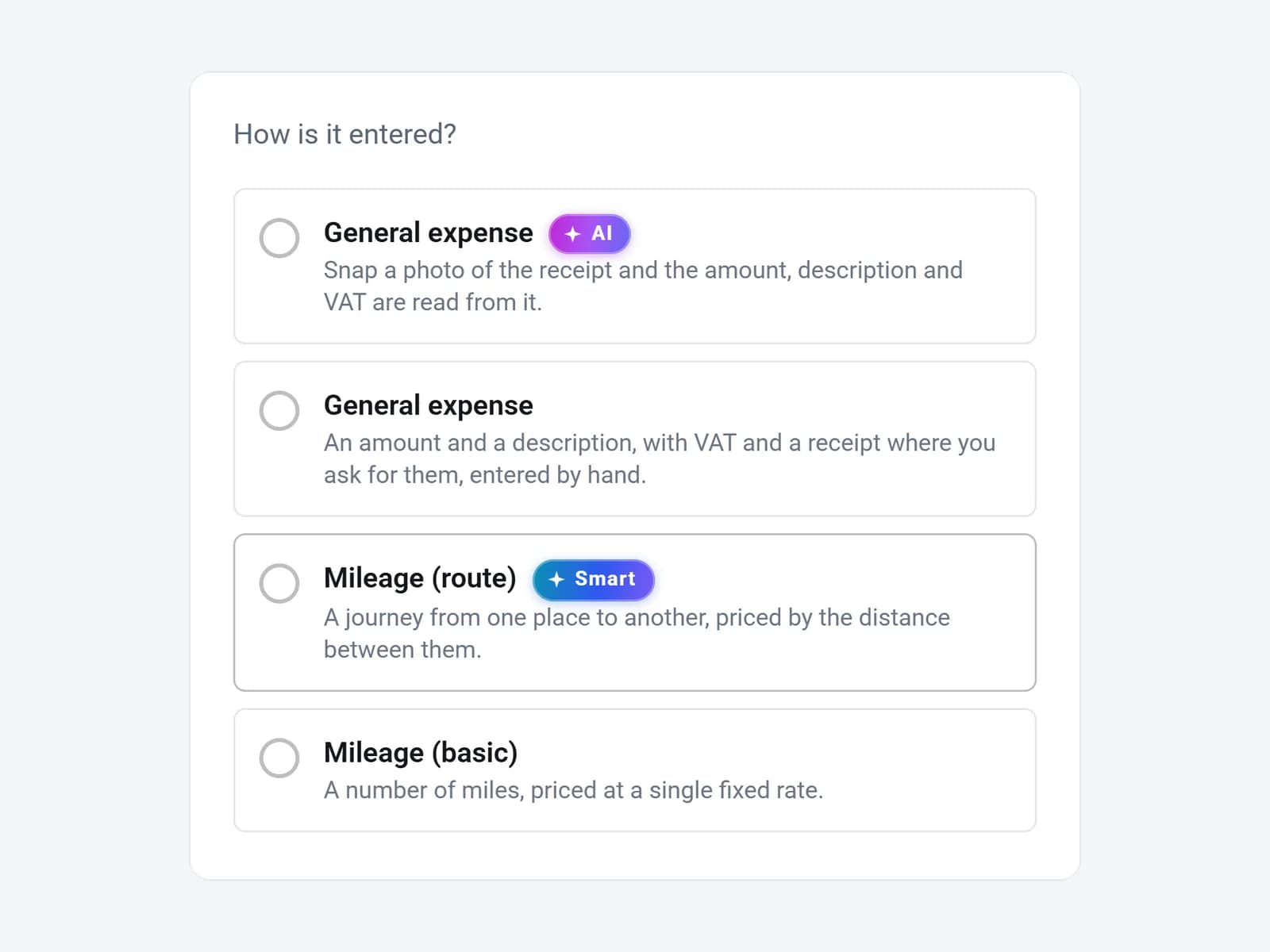
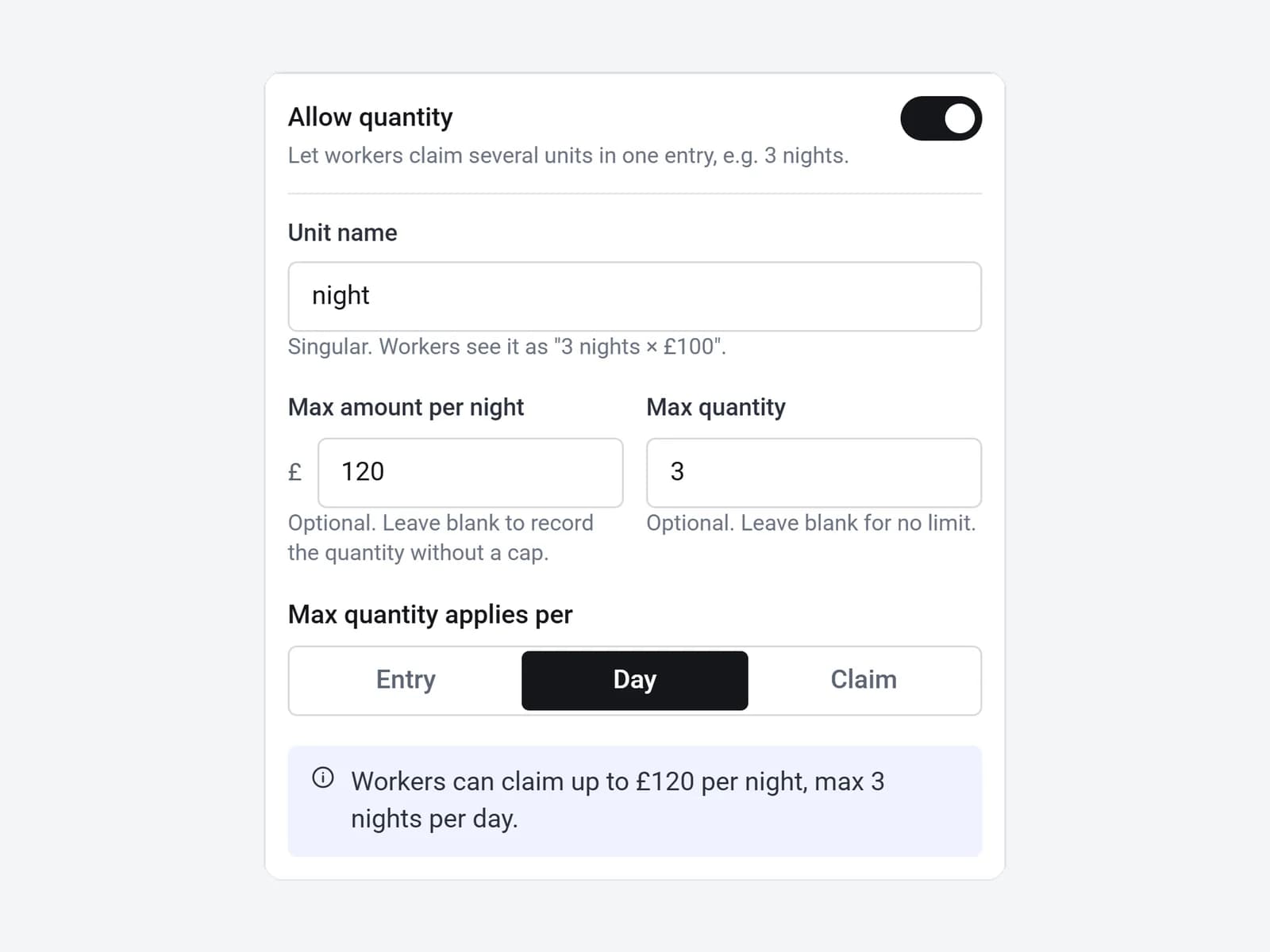
Not everyone should be able to claim everything. Give each group of workers the expenses you allow, set the limits once, and SaveTrees applies them as people claim.
Out to payroll and Xero
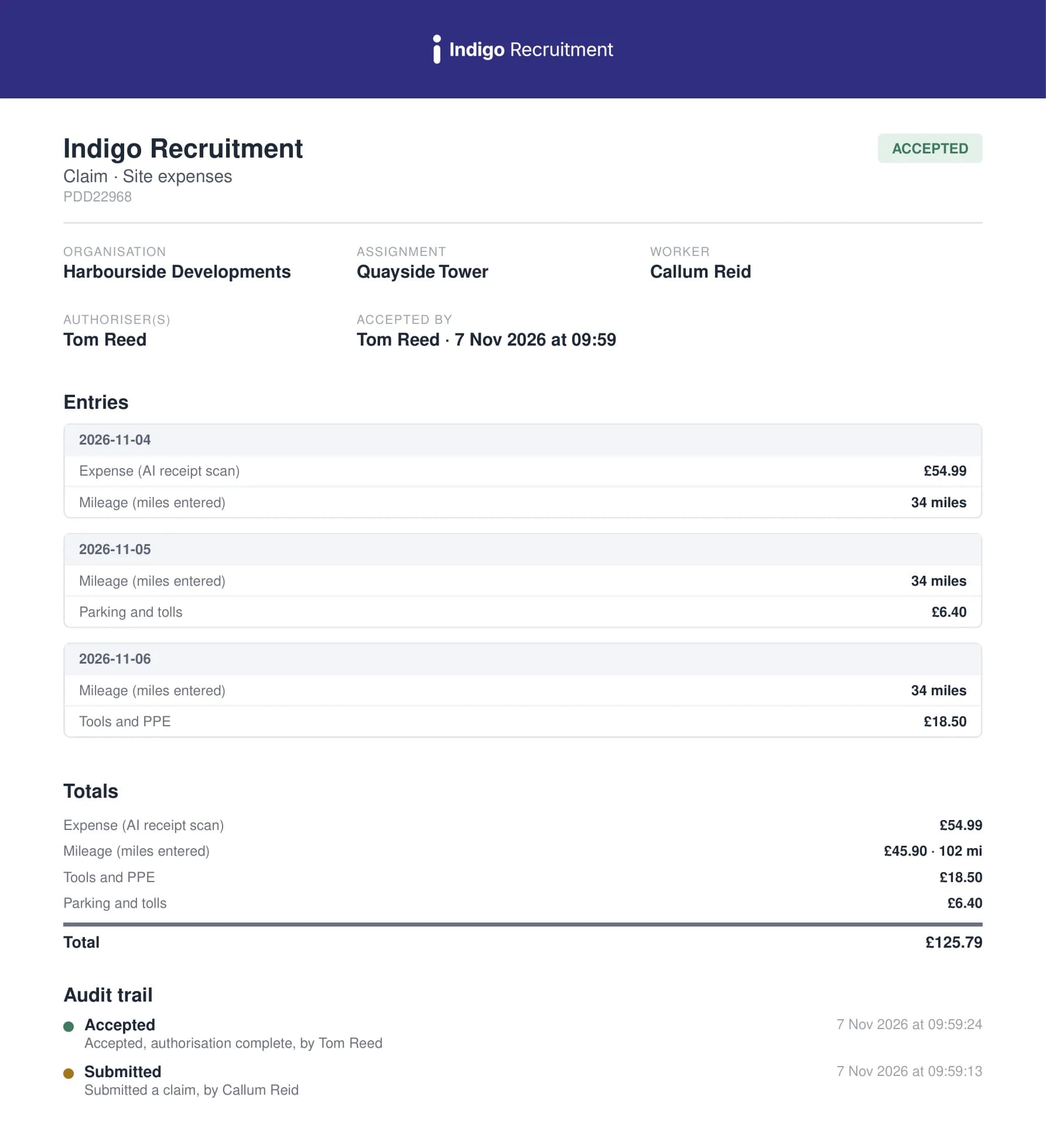
- Every claim has a branded PDF with its full audit trail.
- Download lists as Excel or CSV, in summary or one line per expense, or a zip of PDFs.
- Accepted claims can be copied automatically to your payroll inbox.
- Send rechargeable expenses to Xero as draft invoices for each client, with the receipts attached. Anything billed is marked so it is never billed twice.
You stay in control
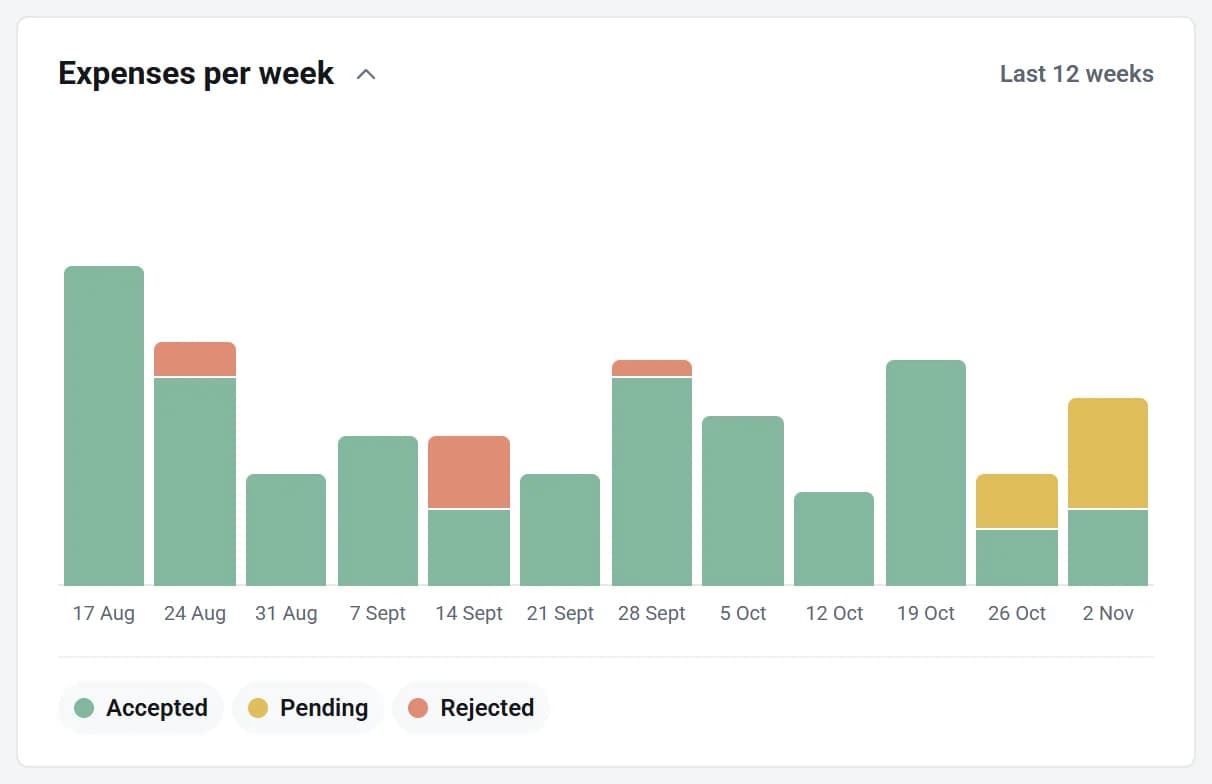
- See every week at a glance: accepted, pending and sent back.
- See which authorisers have claims waiting, and remind them in one click.
- Correct a line on a sent claim without sending it all back, then resend it or save it as authorised.
- Accepted claims are locked to everyone but an admin, and billed ones can’t be changed at all.
Also included
Any kind of expense
- Claim several of something at once, such as 3 nights, with a cap on each.
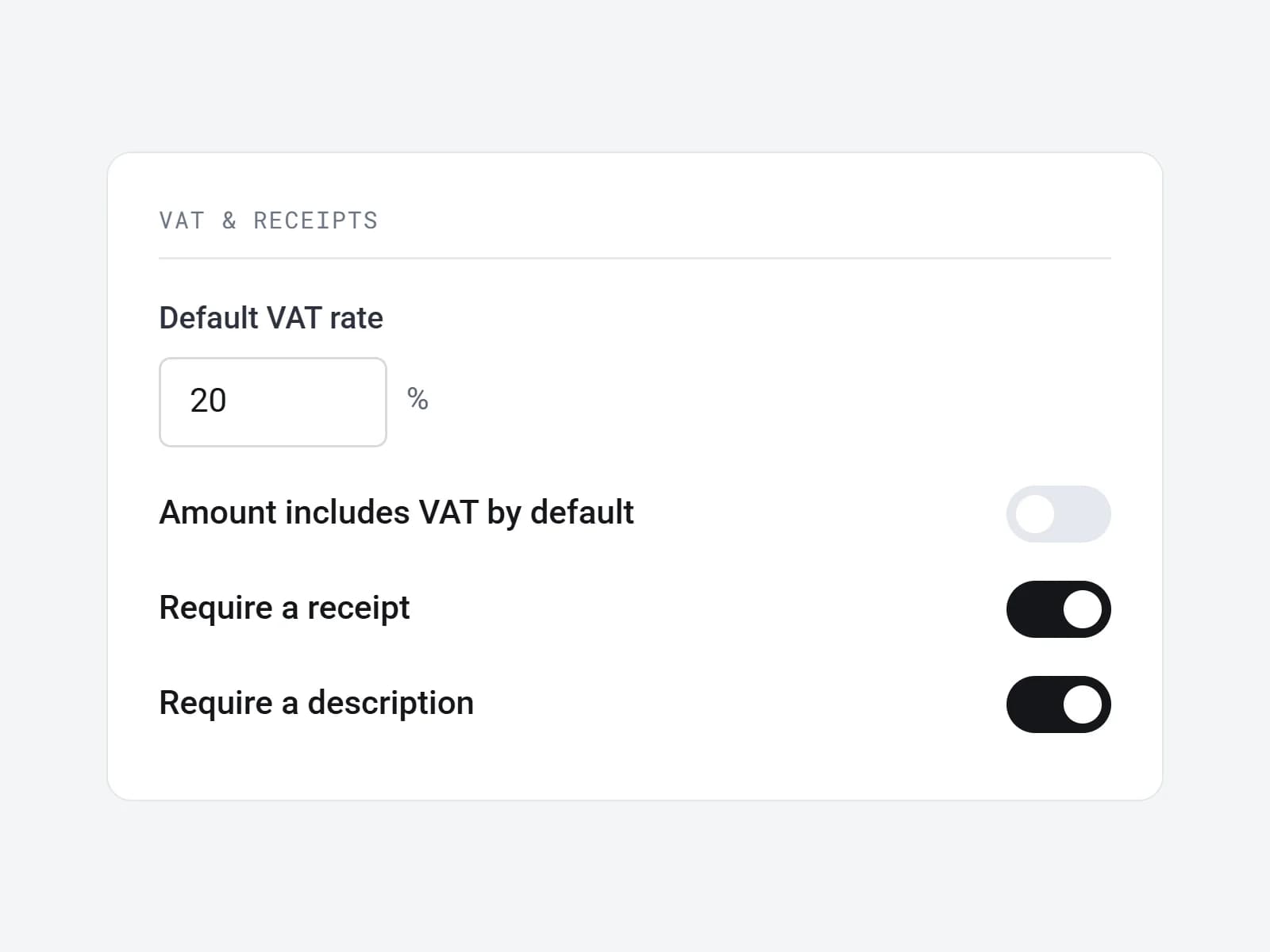
- A default VAT rate for each kind of expense, and whether amounts include it.
- A currency for each kind of expense. Nothing is converted, and a receipt in another currency gets a warning.
- Let workers claim for a set time after an assignment ends, if you choose.
Mileage your way
- By route, or by typing the miles.
- Starts at 45p a mile, with your own rate on each kind of mileage.
- A claim keeps the rate it was sent with, so a later change never rewrites it.
- Mileage and receipts can sit on the timesheet itself instead.
Fits how you bill
- Pay and charge account codes for each kind of expense.
- Choose what’s rechargeable, and keep any single expense off an invoice.
- Put time and expenses on one draft invoice, or keep them apart.
- Tag claims, save your filters, and have a list emailed as a spreadsheet each week or month.
Questions you might have
Do my clients need to sign in?
Yes. To keep the system secure and your claims trustworthy, each authoriser has their own login, or can use their Google or Microsoft account. Every email has a button straight to the claim, and they see only their own workers.
Can workers use their phone?
Yes. SaveTrees runs in the browser on any phone, with nothing to install. Workers photograph receipts as they get them, add journeys, and send the claim from wherever they are.
What if a receipt is read wrongly?
Workers check it before adding it. Boxes SaveTrees filled in turn green, anything it isn’t sure of turns amber, and they can type over any of it or switch auto-fill off.
How is mileage worked out?
Workers pick where they set off from and where they went, and SaveTrees works out the miles by road and shows the journey on a map. The amount uses your rate per mile. If they already know the distance, you can let them type the miles instead.
Can I add a claim for a worker?
Yes. An admin can start a claim for any worker, fill it in and send it for authorisation, which helps when someone sends their receipts by email or on paper. The audit trail shows it was done on their behalf.
What if a claim has a mistake in it?
The authoriser sends it back with a reason, and the worker fixes it and sends it again without starting over. An admin can also correct a line themselves, and every change is kept in the audit trail.
Is it priced separately from timesheets?
Yes. You pay for each worker who sends a claim that month. The first person is free, no matter how many expenses they submit. You can switch Expenses on and off by itself, and someone who sends both a timesheet and a claim counts once on each.
Pricing
Pay only for workers who send a claim that month. The first person is free, no matter how many expenses they submit, then from £5 down to £1 per worker per month.
See pricingTimesheets
Hours, days, shifts or overtime. Workers fill them in on any device and authorisers approve with one tap.
Explore timesheetsDocuments
Right to work, ID and certificates, collected, approved and kept in date.
Explore documents
Try with no risk.
If you don’t love it, you don’t pay a penny.
- No card
- No contract
- Free for one worker